Call'em turns your phone into a set of buttons — Coffee, Come to the gate, I need help. Tap one, and the people you chose get a loud, full‑screen alert. No phone calls, no group chats, no typing.
Two roles, one free app. You create the buttons; the people you call simply scan your code.
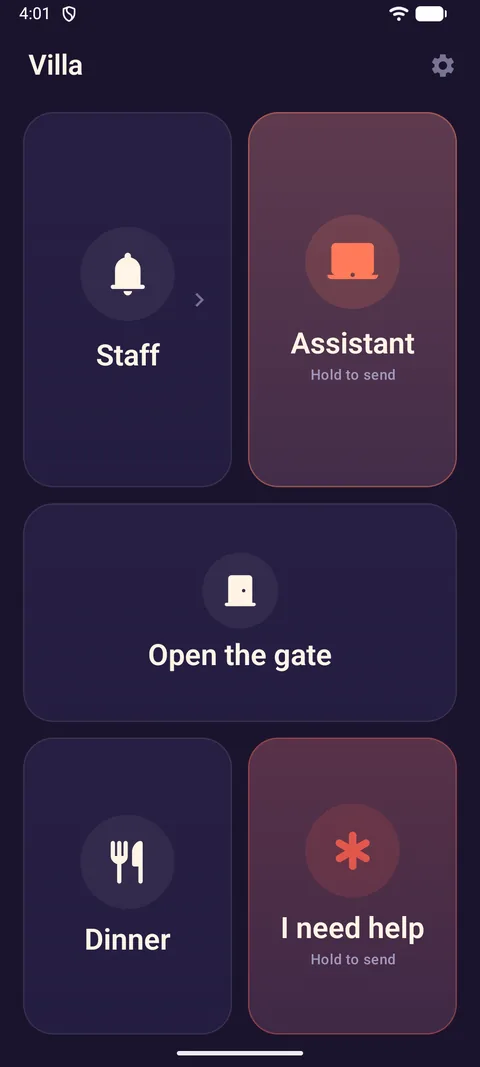
Choose a preset — home, villa, restaurant, care or office — and keep the buttons you need. Rename them, pick icons and colours, write the message in each person's language.
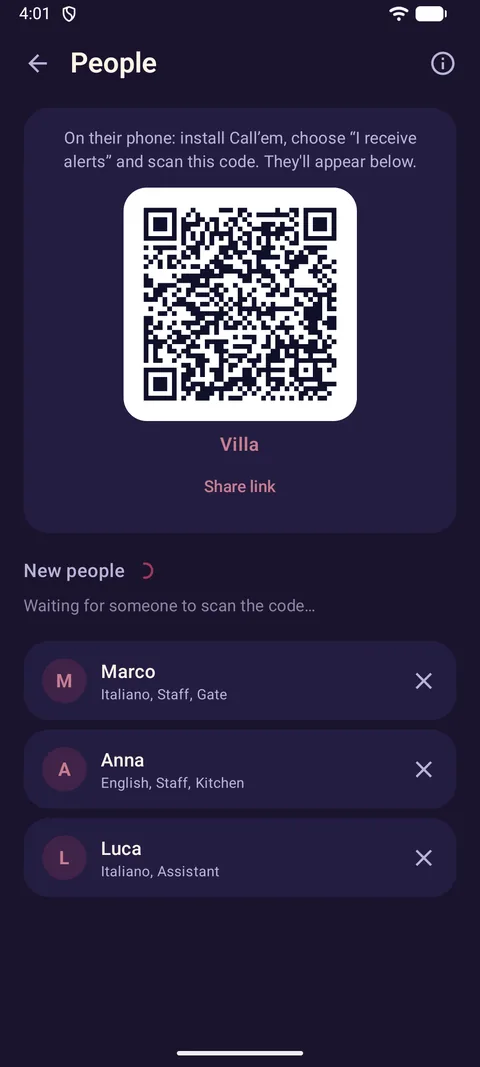
Each person installs Call'em, chooses I receive alerts and scans your code once. No phone numbers, no accounts, no invitations to type.
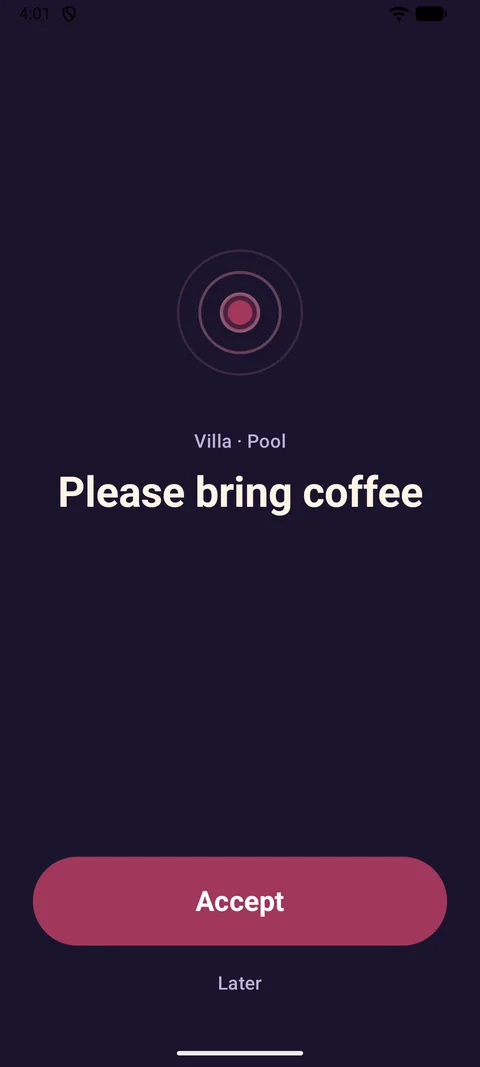
A full‑screen alert with a sound, even on the lock screen or in silent mode. They tap Accept, and you see who is on the way.
Important buttons ask you to hold your finger down, so nothing goes out by accident. On the widget they ask “Send?” instead.
Teach the app the Wi‑Fi in each room once, and every alert says where you are: “📍 Pool”. No GPS, nothing leaves the phone.
See when the alert reached each phone and who tapped Accept — right under the button and in the call history.
Buttons on your phone's home screen, no need to open the app. Show everything, a folder or hand‑picked buttons.
Group buttons into folders — “Staff” with Tea, Coffee, Water inside. Drag and resize tiles on a grid so the important ones are big.
Write the message once per language; Marco gets it in Italian, Anna in English. Seven interface languages.
No connection? The call is queued and goes out the moment the phone is back online. Recipients offline get it when they reconnect.
Copy the setup to your second phone — or your partner's. Changes on any of them sync to the others automatically.
No accounts, no analytics, no ads. Alerts are end‑to‑end encrypted; our relay only sees random identifiers and can't read a word.
Your staff or family install the same free app, choose I receive alerts and scan your code. That's the whole onboarding.
The free version includes one place and up to two people. Pro removes both limits — unlimited places, unlimited people. A one‑time purchase: no subscription, no account.
Yes — the same free app, in “I receive alerts” mode. They scan your QR code (or open the link you share) once; from then on alerts arrive as a full‑screen screen with a sound, and they accept with one tap. You see who accepted.
Yes. The free version includes one place and up to two people — enough for a home. Pro is a one‑time purchase (€19.99) that unlocks unlimited places and people. No subscriptions, no ads. Where Google Play purchases aren't available, we issue activation codes by e‑mail.
Both phones need an internet connection (Wi‑Fi or mobile data) for the alert to travel. If your phone is offline, the call is queued and sent automatically as soon as the connection is back; the recipient's phone shows it as soon as it is online.
Yes. Alerts travel over the internet through our relay, so distance doesn't matter — the person can be in the next room or in another country.
On your phone. There is no account. Alerts pass through our relay server end‑to‑end encrypted — it can't read them and keeps only an encrypted copy for a short while until delivered. Details in the privacy policy.
Only when you set up Rooms: Android requires location permission to read nearby Wi‑Fi networks. The app never uses GPS and never sends location or Wi‑Fi data anywhere. If you skip rooms, the permission is never requested.
Check that the person still appears under People on your phone, and that Call'em on their phone may show notifications and isn't restricted by battery optimisation. The troubleshooting section of the guide walks through it step by step.
Not yet. Call'em is available for Android; an iPhone app for receiving alerts is on the roadmap.
Install, pick a preset, show one QR code. Your first call goes out in three minutes.
 Call'em